
How do I open a support ticket in Xcurt?
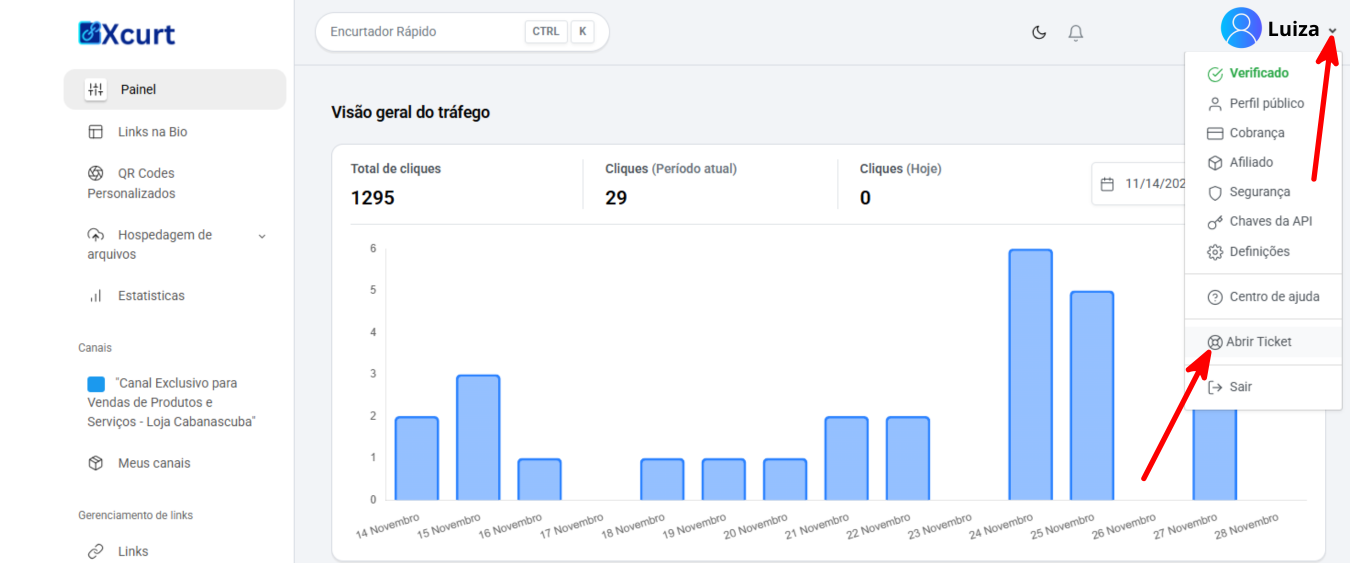
It’s simple — just locate the ticket support area in your admin panel.
Log in to your Xcurt account and access ticket support. There are two access points: one in the profile menu and another directly on the left sidebar.
In the main menu, click “Support / Ticket.”
Choose “Open new ticket.”
Fill out the form — select the type of issue (e.g., “Technical error,” “Billing,” “Account”), clearly describe the problem, and, if possible, attach screenshots or files that help with the analysis.
Click “Submit.” You will receive a protocol number and a confirmation email.
🔹 Tip: Be as specific as possible in your report — the more details and context you provide (e.g., browser, time, link used), the faster the team can identify and resolve the issue.