

In This Article: Ideas for Creating a Link in Bio and How to Use Premium Themes
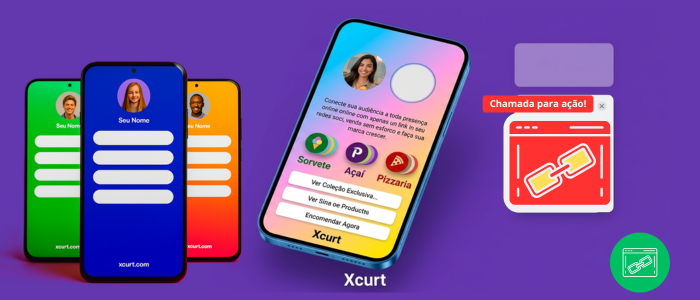
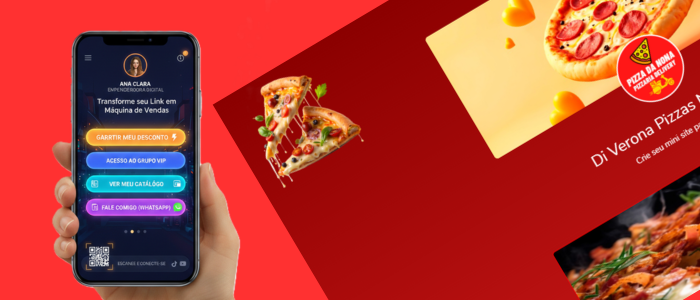
If you're creating a bio page on Xcurt, here are some ideas to help you make your page both interesting and informative.
With a Bio Page, you can showcase plenty of information about your business or company. Here’s what you can include in your Bio: your email, WhatsApp, links to your sales pages, vCards, YouTube videos — you can even create a dedicated sales page within your Bio! The possibilities are endless and depend on your business idea and how you plan to bring it to life.
At Xcurt, a customized link shortener, we offer many features to help you build smart marketing and work strategies.
Using the Link in Bio with Xcurt
The Link in Bio is an essential feature to connect your profile with your content or website. On Xcurt, you can create a personalized link that directs visitors straight to your bio page or any destination you choose.
Here are a few steps and tips to make the most of this feature:
Creating Custom Links:
With Xcurt, you can shorten your original link and add a custom alias that reflects your brand or message.
This helps create a more attractive and easy-to-remember link for your audience.
Integrating the Link in Your Bio:
Add the shortened link to the bio section of your social media profiles, blogs, or any platform where you want to share information about yourself or your business.
Make sure the link is properly formatted and working correctly.
Benefits of Using a Link in Bio:
Professionalism: A well-formatted and functional link shows attention to detail and enhances your professional image.
Easy Access: It allows your followers to access your content or website with just one click.
Engagement: Attractive and customized links can increase user engagement and interaction.
Performance Monitoring:
Use Xcurt’s analytics tools to track the performance of your links.
Get insights on the number of clicks, traffic sources, and other important metrics to help you fine-tune your strategies.
Ideas to Put Into Practice Today!
11 Practical Ideas to Support Your Journey in Creating a Link in Bio
Now that you understand the importance of having a strategic Link in Bio and how a premium theme can elevate your presentation, it’s time to put your ideas into action. Here are 11 valuable ideas and practical steps to guide you in creating a Bio Page that truly converts:
Define Your Main Goal
Before anything else, ask yourself: What action do you want people to take when they click your link? Buy something? Follow your social media? Subscribe to your newsletter? This will be the foundation for your entire setup.Choose a Reliable and Flexible Tool
Use platforms like Xcurt, which allow you to create customized link pages with modern design and professional features — including premium themes.Organize Your Links Strategically
Avoid adding everything randomly. Prioritize your most important links and use short, clear titles for each button.Enhance the Look with a Premium Theme
Choose a theme that reflects your identity. Visual appeal matters — a beautiful and responsive layout builds trust and attracts more clicks.Add Strong Calls to Action (CTAs)
Phrases like “Click and Enjoy,” “Download Now for Free,” or “Chat with Me Now” can significantly boost engagement.Include an Eye-Catching Mini Profile
Use your photo, name, a short bio (emojis can help if relevant), and a phrase that clearly states your value proposition.Integrate Your Social Channels and Contact Options
Make it easy for people to reach you on WhatsApp, Telegram, Instagram, YouTube, email — the easier it is, the better.Keep It Updated Frequently
Keep your page fresh! Update it with new links, promotions, videos, or relevant content whenever possible.Use a Custom and Friendly Link
No messy URLs! With Xcurt, for example, you can create a short and branded link that’s easy to remember.Track Your Results
Analyze the click performance of each button, identify which ones are driving the most engagement, and adjust your page based on real data.
🎨 Plenty of Themes Available to Build Your Link in Bio Page! 🚀
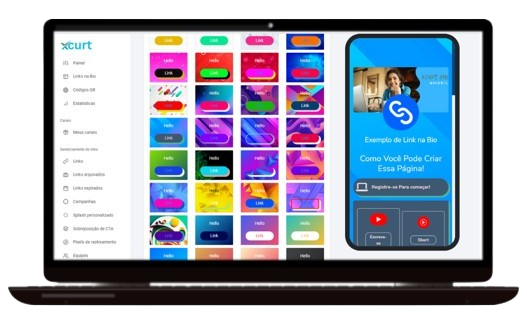
At Xcurt, you’ll find a wide variety of amazing themes to personalize your Link in Bio page your way! Choose from modern styles, dynamic animations, and HD visuals to make your bio even more attractive.
Highlight your links with a professional and engaging design, creating a unique experience for your visitors. Start now and turn your bio into a true digital hub! 🔗✨
Upgrade to the Start II Plan and Enjoy Multiple Benefits!
If you're looking for a way to optimize your digital presence and maximize the potential of your Link in Bio, the Start II Plan is the perfect choice for you on Xcurt. While the free plan offers a great introduction to the platform’s features, it does come with limitations. The Start II Plan unlocks a range of additional benefits that can make a real difference for your business or personal brand — all with an affordable cost-benefit.
Benefits of the Start II Plan Compared to the Free Plan:
Access to Premium Themes
With the Start II Plan, you get access to a variety of premium themes — more sophisticated and visually appealing — helping you create a professional and customized look for your Link in Bio.Ad-Free Links
Eliminate unwanted ads that could distract your audience. The Start II Plan ensures your links remain clean and ad-free, providing a more focused and seamless experience for your visitors.Remove Branding
The Start II Plan allows you to remove Xcurt’s branding from your Link in Bio page, ensuring your links point exclusively to your own interests.Advanced Analytics
Gain detailed insights into the performance of your links. The Start II Plan offers advanced statistics that let you track clicks, views, and other key metrics — helping you make data-driven decisions.Custom Aliases
Create branded, memorable URLs that reflect your identity. This not only enhances the appearance of your links but also makes it easier for your followers to remember and share them.Priority Support
Need assistance? With the Start II Plan, you’ll receive priority support, ensuring your questions and issues are addressed quickly and efficiently.More Customization Options
Enjoy additional customization features for your links and pages, allowing you to craft a unique experience perfectly aligned with your brand identity.
Upgrade to the Start II Plan today and start enjoying all these amazing benefits that will take your digital presence to the next level!
Using Link in Bio on Xcurt
The Link in Bio is an essential feature for connecting your profile to your content or website. On Xcurt, you can create a personalized link that directs visitors straight to your bio page or any other destination of your choice.
Here are a few steps and tips to help you make the most out of this powerful tool:
Remember, your Xcurt Bio Page should be informative — but also interesting and engaging for your audience. Use your creativity and imagination to design a page that truly captures the essence and personality of the individual or brand being featured.

Xcurt Features
Shorten and customize your links with a modern look.
Organize all your links in a single Link in Bio page.
Create dynamic QR Codes with color customization, redirection, and a logo in the center.
Track real-time statistics and clicks with a smart dashboard.
Promote products, campaigns, or social media with a unique and stylish link.
Free Themes:
Enjoy a variety of free themes available to start creating your Link in Bio. These themes are perfect for beginners who want an attractive and functional look — all without any extra cost.
Premium Themes:
Unlock even more possibilities with our premium account, starting at just R$8.55 per month. With premium themes, you can:
Further customize your Link in Bio with sophisticated and exclusive designs.
Create a more professional and cohesive look to attract and engage your audience.
Enjoy additional features that help boost your digital presence.
You can create 1 Link in Bio on the free plan, and with the Start II plan you can create up to 5 Links in Bio.
Upgrade to a premium account and discover how our premium themes can transform your Link in Bio into a powerful engagement and traffic tool.
🚀 Now that you’ve got all the power of information, how about getting started right now? 🔥
With Xcurt, creating your Link in Bio page has never been easier! Customize it with amazing themes, add your most important links, and track everything with detailed stats. Transform your digital presence and make your content just a click away. Don’t waste time — start now and stand out online! 🔗✨
Be Creative and Build Your Link in Bio Using Xcurt:
Professional Portfolio
Description: Gather all your work and projects in a single link.
Example: xcurt.com/YourNamePortfolio
Use: Perfect for designers, photographers, writers, and other creative professionals.Contact Page
Description: Make it easy for your followers and clients to get in touch.
Example: xcurt.com/ContactMe
Use: Add contact forms, links to email, WhatsApp, and other communication channels.Social Media Links
Description: Group all your social media profiles into one single link.
Example: xcurt.com/MySocials
Use: Ideal for influencers, content creators, and businesses looking to centralize their social presence.Promotions & Offers
Description: Direct your followers to a page with exclusive promotions, coupons, and special deals.
Example: xcurt.com/SpecialOffers
Use: Great for online stores, service providers, and any business aiming to promote discounts.Blog or Video Channel
Description: Centralize your latest and most popular content.
Example: xcurt.com/MyBlog or xcurt.com/MyVideos
Use: Designed for bloggers, vloggers, and content creators who want to highlight their latest posts and videos.Donation or Crowdfunding Campaign
Description: Gather information and links to support your donation or crowdfunding campaigns.
Example: xcurt.com/SupportMyCampaign
Use: Perfect for NGOs, social projects, and creators seeking financial support.Event Page
Description: Direct your audience to a page with details about upcoming events.
Example: xcurt.com/MyEvents
Use: Ideal for artists, speakers, event organizers, and anyone who regularly hosts events.Testimonials & Reviews
Description: Showcase testimonials from satisfied clients or positive feedback.
Example: xcurt.com/Feedback
Use: Great for freelancers, consultants, and professionals who want to highlight customer satisfaction.Success Stories Portfolio
Description: Display case studies and examples of successful projects.
Example: xcurt.com/SuccessStories
Use: Perfect for marketing agencies, developers, and other professionals who want to demonstrate proven results.
💡 Example of Links in Bio
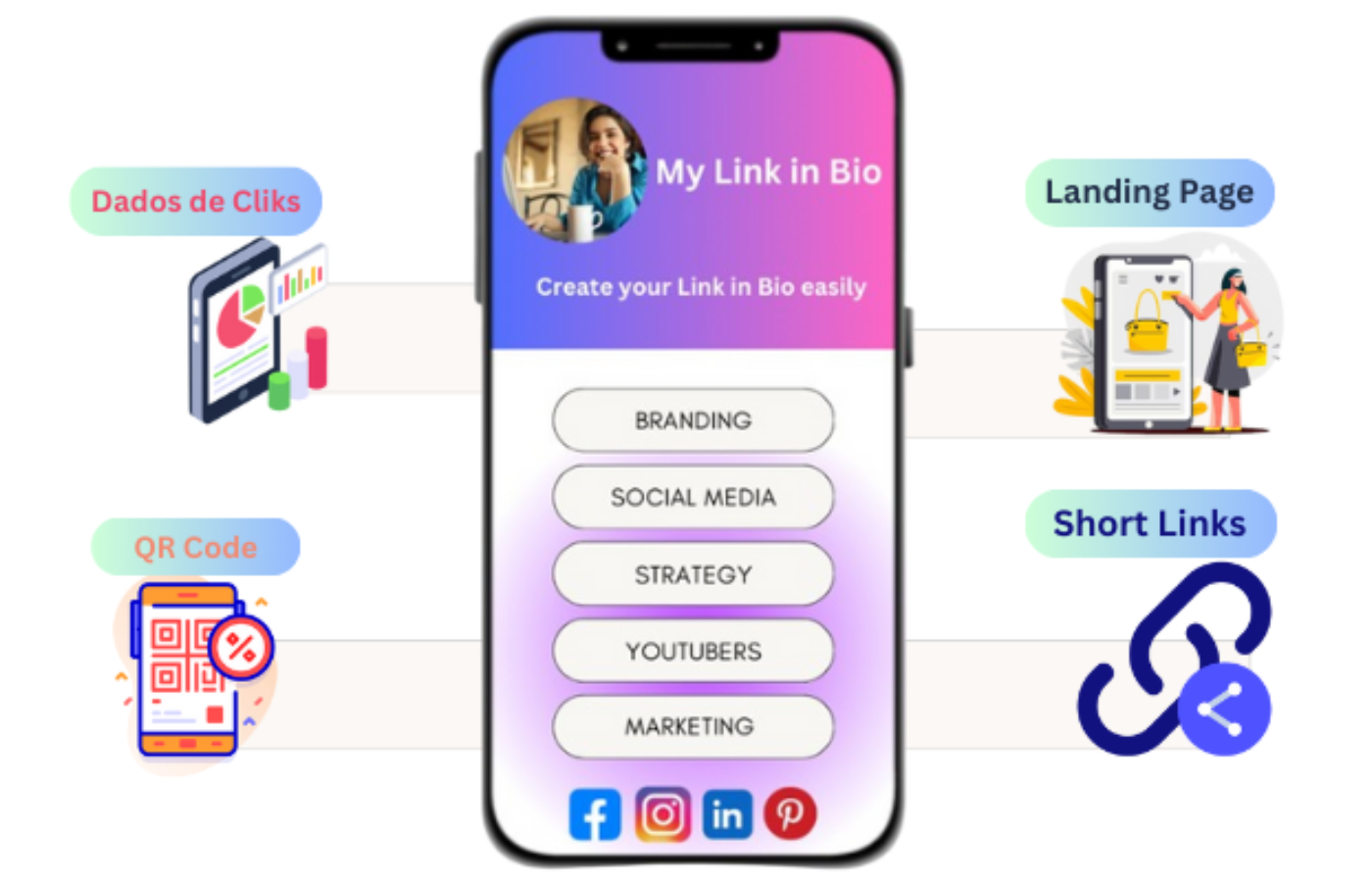
Here’s how your Link in Bio could look — check out a few suggestions created with Xcurt:
🌟 Welcome to My Profile! 🌟
📚 My Portfolio: Discover my latest work and projects. 🔗 xcurt.com/YourNamePortfolio
📧 Get in Touch: Contact me through social media and email. 🔗 xcurt.com/ContactMe
📱 My Social Media: Follow me on all major platforms. 🔗 xcurt.com/MySocials
🎁 Special Offers: Explore our exclusive deals and discounts. 🔗 xcurt.com/SpecialOffers
📝 Read My Blog: Stay updated with my latest articles and posts. 🔗 xcurt.com/MyBlog
🎥 Watch My Videos: Check out my most recent videos on YouTube. 🔗 xcurt.com/MyVideos
🙌 Support My Campaign: Contribute to our social projects and crowdfunding campaigns. 🔗 xcurt.com/SupportMyCampaign
💡 We hope these ideas inspire you to create an effective and attractive Link in Bio with Xcurt!
🚀 Fantastic! Now that you know all these amazing features Xcurt offers, you're more than ready to start your journey as a link-shortening pro.
✨ Discover How to Create a Link in Bio Using Premium Themes on Xcurt
Looking to boost your digital presence and engage more with your audience?
Learn how to create a stunning Link in Bio using premium themes with Xcurt and make all your important links accessible in one place. Personalize your page, add your essential links, and enjoy a professional look that builds trust and drives engagement.
🎬 Watch the Tutorial: How to Create a Link in Bio
🔗 Create your account on Xcurt and enjoy:
Short, customized links that strengthen your brand identity.
Detailed metrics to optimize your campaigns.
Guaranteed security with suspicious link monitoring.
An ad-free experience with our premium plans.
Start by taking the first step and explore all the advantages Xcurt has to offer!
🚀✨ Get started now and discover all the benefits of using Xcurt to create your Link in Bio in a simple and practical way!
Gather all your links in one place, customize your page with stunning themes — including HD 8K visuals — and track performance with detailed statistics. Make your digital presence more professional and engaging, offering quick and direct access to your content.
Take the first step and experience everything Xcurt has to offer! 🔗🔥
If you need anything else, our team is here to support you every step of the way.
Let’s transform your links together! 🌟