

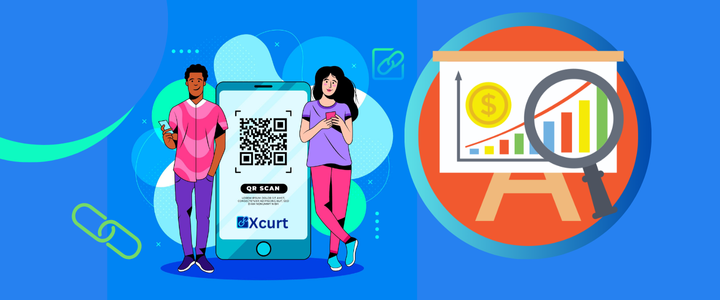
Using QR Codes to Enhance Your Operational Marketing Strategy
Discover how QR Codes have become an essential bridge between the physical and digital worlds. Learn how to apply them to your business using Xcurt’s tools — optimizing campaigns, tracking results, and turning simple actions into powerful operational marketing strategies.
In a world increasingly centered around digital and mobile experiences, entrepreneurs and brands are seeking to connect their physical and virtual channels seamlessly. QR Codes — those small, scannable squares read by smartphones — have emerged as a natural bridge between offline and online environments. But beyond their basic utility of “taking someone to a page,” they can become strategic assets in a company’s operational marketing.
In this article, we’ll explore:
What QR Codes are and why they matter;
The different types of QR Codes (static, dynamic, etc.);
The role of QR Codes in operational marketing;
Strategies and best practices for applying them across various business areas;
Real-world examples and use cases, including in Brazil;
Precautions, limitations, and future trends;
Plus, two featured topics for you to explore further on Xcurt’s blog or in your marketing campaigns.
1. What Is a QR Code and Why It Matters
1.1 Technical Definition and Basic History
The term QR stands for Quick Response. It’s a two-dimensional code that can be scanned using a smartphone camera to decode information — typically a URL, but also contact details, text, geographic locations, and more.
The QR code was created in 1994 by the Japanese company Denso Wave, originally for industrial use in automotive parts tracking. Over time, its adoption expanded widely into marketing, payments, tracking, and communication.
From a technical standpoint, QR codes use error correction levels (L, M, Q, H), allowing them to be read even when part of the code is damaged.
1.2 Why QR Codes Are Increasingly Relevant Today
Several factors explain why, in 2025, QR codes remain such a powerful tool:
The massive penetration of smartphones with cameras.
The growing public familiarity with scanning QRs (menus, Pix payments, etc.).
The ease of creating QR codes — including dynamic and trackable ones (see below).
The ability to connect physical experiences (stores, printed materials, events) to the digital world with minimal friction.
Integration with digital marketing, data, and automation systems.
In Brazil, QR codes have become especially popular thanks to Pix, the instant payment system that uses QRs as its primary interface.
According to market sources, the QR payment market in Brazil is expected to reach about USD 2.62 billion by 2033, with an annual growth rate of approximately 22.4%.
This combination of practical use, technological adoption, and consumer behavior integration makes QR codes a strategic asset for operational marketing.
2. Types and Categories of QR Codes
To use QR codes strategically, it’s essential to understand their types and capabilities.
2.1 Static vs. Dynamic QR Codes
Static QR: The code embeds the information directly (e.g., a fixed URL). It’s immutable — if you want to change the destination, you must generate a new code.
Dynamic QR: The code points to a redirect or service you control, allowing you to change the destination URL after publication, track metrics (number of scans, dates, locations), and run A/B tests.
Dynamic QRs are commonly used in marketing campaigns with continuous monitoring and optimization, while static ones are suited for long-term or fixed uses (e.g., printed signs, simple Wi-Fi access codes, etc.).
2.2 Simple vs. “Smart” QR Codes
Beyond the static/dynamic distinction, there are also so-called “smart QR codes,” which offer advanced features such as:
Conditional redirection based on time, location, or device.
Integration with CRM systems or marketing automations.
Multi-URL generation, displaying different destinations based on user profiles.
Visually customized QRs (colors, logos) with readability adjustments for design integrity.
Interaction with AR (augmented reality) or rich media experiences.
These more sophisticated versions expand the potential of QR use and make them a dynamic tool within operational strategies.
2.3 Other Alternatives: Hybrid Visual Codes
There are also alternatives to traditional QRs, such as SnapTag, which combines a logo or icon within a circular visual code. SnapTags can serve functions similar to QRs but with a more aesthetic appeal.
Emerging concepts like QRscript — which embed mini-programs within the code to make autonomous decisions — show how the technology may evolve.
However, for most operational and marketing applications, the standard QR code (static/dynamic) remains fully compatible and sufficient.
3. Operational Marketing: Where QR Codes Fit In
Before diving into tactics, it’s helpful to map where within marketing and operations QR codes can play a role:
Lead Acquisition: Converting people who see a printed or outdoor ad into digital visitors (landing pages, forms, coupons).
Conversion: Facilitating actions such as purchase, registration, download, or subscription directly from a mobile device.
Post-Sales Engagement: Offering content, tutorials, event invitations, or satisfaction surveys.
Tracking and CRM: Monitoring scan behavior (when, where) and integrating it with CRM systems for segmentation.
Optimization and A/B Testing: Comparing different offers, messages, or destinations via dynamic QRs.
Physical Operations and Logistics: Integration into inventory, event control, product tracking, or package logistics.
Payments and Checkout: Enabling customers to pay simply by scanning, without physical intermediaries (e.g., QR/Pix, digital wallets, etc.).
Operational marketing refers precisely to practical, integrated tactics embedded in a company’s daily processes, focused on results and continuous optimization — and QR codes can be a key element in achieving that.
4. Strategies and Best Practices for Using QR Codes in Operational Marketing
This section offers a range of ideas and practical tips for using QR codes effectively across different areas, along with strategic recommendations and precautions.
4.1 Planning and Goal Setting
Before generating and placing a QR code anywhere, ask yourself:
What action do I want the user to take after scanning? (sign up, purchase, watch a video, etc.)
Who is this audience, and in what context will they scan it? (on the street, in-store, at an event, on a billboard, etc.)
Where will the QR be applied? (printed materials, packaging, digital displays, product stands, etc.)
How will I measure success? (number of scans, conversion rate, campaign ROI).
Do I need the destination to be editable or fixed? If you plan to change offers during the campaign, choose a dynamic QR.
What is the expected duration of use? This affects the printing material, visibility, and durability.
Proper planning ensures that your QR codes serve as strategic tools, not just decorative elements.
4.2 Application Examples by Area
4.2.1 Promotional Materials (flyers, banners, billboards)
Include a QR offering exclusive discounts or coupons for those who scan.
Use dynamic QRs to change offers based on the time of day (e.g., breakfast – lunch – happy hour).
Track where the code was scanned (via geolocation) to identify the most responsive regions.
Add clear calls to action: “Scan and get 10% off!”
On outdoor ads or storefronts, leave contrast space around the QR to ensure readability.
4.2.2 Packaging and Products
Add QRs on packaging that lead to tutorial videos, manuals, or recipe pages.
Tracking and warranty QRs: customers scan to register their product automatically.
Loyalty QRs: “Scan to earn points or join our giveaway.”
For sustainable brands, use QRs to show supply chain transparency and eco-friendly practices.
4.2.3 Physical Stores / Points of Sale
Place QRs in-store to give customers access to digital catalogs or stock availability.
Restaurant tables: QR for menus, ordering, or feedback forms.
Checkout counters: QR for Pix or digital wallet payments.
Creative touches: QRs in shop windows revealing videos or special offers when scanned.
Events and trade shows: QRs for lead collection, sign-ups, or instant giveaways.
4.2.4 Offline-to-Digital Campaigns
In print ads (magazines, newspapers), use a QR linking to a specific campaign landing page.
On billboards, pair the QR with an incentive (“Scan and win”) to drive engagement.
In flyers or direct mail, add QRs that lead to personalized offers for that audience.
4.2.5 Post-Sales, Retention, and Customer Relationship
On receipts, include a QR for purchase feedback.
On product delivery notes, include QRs to register satisfaction, activate warranty, or access guides.
On emails or printed invoices, add a QR for payments or tracking.
In customer reactivation campaigns, send QR-based coupons that redirect users to new offers.
4.2.6 Direct Payment via QR / Pix Integration
In many Brazilian businesses, QR + Pix has become synonymous with instant, contactless payment.
Display QR payment codes at checkout or even on printed shopping carts for seamless transactions.
Use dynamic QRs to generate variable payment amounts — ideal for flexible checkouts without payment terminals.
This approach reduces intermediary fees and appeals to customers already familiar with Pix.
4.3 Optimization, Tracking, and Testing
Use dynamic QRs with analytics: number of scans, dates, times, locations, devices.
Run A/B tests: create two QRs with different offers and compare results.
Monitor your conversion funnel: how many scanned and how many completed an action (purchase, signup, etc.).
Adjust offers or destinations based on collected data (e.g., stronger discounts, new landing pages).
Integrate QR analytics into your CRM or marketing automation platform to personalize user journeys.
Evaluate ROI by comparing QR production/distribution costs with resulting leads or sales.
4.4 Readability and Usability Best Practices
Maintain a “quiet zone” (blank space) around the QR for better scanning.
Avoid low-contrast colors — dark QR on a light background works best.
Don’t make QRs too small — ideally, each side should be at least 2–3 cm in print, depending on viewing distance.
Test your QR with different smartphone models before distribution.
In custom-designed QRs (with logos or colors), ensure contrast and structure remain readable.
Use the appropriate error correction level to tolerate small imperfections or wear.
4.5 Precautions and Limitations
Not all users know or want to scan QRs — always offer an alternative (visible URL, NFC tag, etc.).
Overly stylized QRs can become unreadable.
High data density makes scanning harder on some devices.
QRs depend on a mobile internet connection.
Malicious QRs (quishing): users may be redirected to harmful links — always use SSL, trusted domains, and monitoring.
In outdoor environments, dust, sunlight, and weather can degrade scan quality.
5. Real Examples and Case Studies (Brazil and International)
5.1 In Brazil
Languiru used QRs on milk packaging to promote traceability and transparency, strengthening consumer trust.
With Pix, QRs became ubiquitous as a payment interface among small and medium businesses.
Isobar Brasil created an intelligent QR campaign for McDonald’s, Burger King, and Subway, where content changed based on location and time.
In cultural and tourism projects, QRs embedded in sidewalks allow tourists to access historical information (e.g., mosaics in Rio de Janeiro).
5.2 International / Inspiring Cases
McDonald’s added QRs to packaging that linked to movie-related content or promotions.
Food brands used QRs on labels to display recipes, nutrition facts, or interactive experiences.
Billboards with QRs allowed instant shopping — scan and buy directly from the ad.
Campaign posters and banners with QRs offered bonus content (videos, infographics) to boost engagement.
These examples show that well-placed, clearly communicated QR codes can transform traditional media into digital conversion channels.
6. Integration with Xcurt: How Entrepreneurs Can Use Platform Resources
To make this article even more relevant to Xcurt, let’s explore how entrepreneurs who use (or plan to use) the platform can take full advantage of QR codes in their daily operations and campaigns.
6.1 How Xcurt Can Benefit: Suggested Integrations
Assuming Xcurt is a digital platform for marketing, media, or campaign management (you can confirm this if needed so I can refine the explanation), here are some integration ideas:
Allow users to generate dynamic QR codes embedded directly into their campaigns, with built-in tracking.
Within the campaign interface, let entrepreneurs automatically insert QRs that redirect to their campaign links.
Display QR analytics in an integrated dashboard (scans, locations, time of day).
Enable A/B testing for QRs — two versions of an offer — with traffic split and results displayed in-platform.
Offer custom QR design templates that align with the client’s brand style within Xcurt.
Automatically include QR versions of campaigns in printable reports or offline media.
Provide Pix or payment QR integration, allowing customers to complete purchases directly via a QR generated through Xcurt.
6.2 Practical Examples for Xcurt Users and Clients
Hybrid Lead Generation Campaign (Online + Offline)
A client launches a digital campaign (e.g., Facebook or Instagram Ads) using a shortened Xcurt link to a landing page. At the same time, they distribute flyers or stickers with QRs leading to the same page (or a variant).
This expands reach: people who don’t see the digital ads can be reached physically and enter the digital sales funnel by scanning the QR.
In-Store “Surprise” Offers via Dynamic QR
A store owner using Xcurt can create a dynamic QR offering a new deal each day (e.g., “Today only: 10% off T-shirts”). The QR is displayed in-store, and each scan redirects to the current promotion, increasing engagement and conversion.
QR Integration in Outdoor Media and Events
At events or trade shows sponsored by Xcurt clients, stands and banners can display QRs leading to Xcurt-hosted landing pages (forms, downloads, offers).
This enables on-site lead capture and direct integration with the campaign database.
QR on Receipts or Invoices for Post-Sale Engagement
After a purchase, businesses can include a QR on receipts or packaging that invites customers to scan and receive something extra — a next-purchase discount, bonus content, or feedback form.
The QR can redirect to a personalized campaign page hosted on Xcurt.
A/B Testing of Marketing Messages via QR
Entrepreneurs can create two or more QR variations with slightly different offers or taglines, distribute them across locations, and track which one converts best.
Xcurt can then aggregate and display these performance metrics in the campaign dashboard.
Localized Campaigns with Geo-Based QRs
For regional marketing actions, QRs can redirect to different landing pages based on the location of the scan.
Xcurt can identify the scan’s region and dynamically adjust the destination or promotional message.
With these integrations, QRs become more than an optional feature — they become core components of Xcurt’s campaign architecture and of entrepreneurs’ operational workflows.
7. Trends and How QR Technology Is Evolving
To wrap up, here are some emerging trends worth following — for you and your readers (or clients) to stay ahead:
Visually branded QRs with strong design and identity (colors, logos), creating customized yet scannable codes. Academic research is advancing methods for robust stylized QRs.
QRscript and logic-based QRs: codes capable of making small decisions or running scripts upon scanning.
QRs integrated with augmented reality (AR): scanning triggers 3D or interactive content.
Phygital experiences (physical + digital): QRs bridging in-store or event interactions with digital engagement.
Deeper IoT integration: physical objects communicating through QRs or hybrid visual codes.
Standardized open payment QRs: as with Pix in Brazil, global and national standards will make universal QR adoption more seamless.
8. Highlight Topics for the Xcurt Blog and Campaigns
To enrich future content on Xcurt’s blog or marketing materials, here are two high-impact topics to explore further:
8.1 “Branded & Stylized QRs: How to Design Visually Appealing Codes Without Losing Functionality”
This topic would cover techniques, tools, and case studies for creating visually branded QRs that remain functional.
It could include how to select proper error correction levels, use custom QR generators, test readability, and maintain scanning performance even with logos and color palettes.
8.2 “Using Dynamic QRs and Metrics to Optimize Campaigns in Real Time”
This theme would explore the data-driven potential of dynamic QRs — how to leverage conditional redirects, scan analytics (who, where, when), and CRM/automation integration.
It would also show how live optimization (A/B testing, rotating offers) directly boosts ROI in operational marketing.

🧩 12 Practical Ideas for Using QR Codes Created with Xcurt
An excellent idea 💡 — below is a list of 12 practical and strategic ways (with plenty of extra tips) to use QR Codes generated with Xcurt’s QR Code creator to boost marketing, sales, engagement, and operations.
All suggestions take advantage of Xcurt’s platform features such as customization, tracking, smart redirection, and dynamic pages.
1. Smart Business Cards
How to use:
Create a QR Code that leads to your Xcurt Link in Bio page with your contacts, social media, and portfolio.
Tips:
Use Xcurt’s corporate theme for a professional look.
Enable click tracking to know how many people scanned your card.
Combine your QR with your logo and brand colors.
2. QR Codes on Product Packaging
How to use:
Send customers directly to tutorials, videos, or product manuals.
Tips:
Create a unique QR for each product line.
Use the Xcurt dashboard to track which packaging drives the most access.
Change the destination link anytime without reprinting the QR (thanks to Xcurt’s dynamic redirection).
3. Promotional Coupons and Quick Discounts
How to use:
Add a QR Code to flyers, store windows, or stories that lead to a special promotion.
Tips:
Activate link scheduling to limit the offer’s duration.
Customize the call-to-action button (e.g., “Grab Your Discount Now!”).
Create unique QRs per channel (Instagram, physical store, email, etc.) and compare performance.
4. Instant Feedback QR Code
How to use:
Direct customers to a review form or testimonials page.
Tips:
Use Xcurt’s built-in form widget on the page.
Set up automatic alerts to receive real-time feedback.
Add emojis or quick reactions for a fun experience.
5. Digital Menu with QR Code
How to use:
Perfect for bars, cafés, and restaurants.
Tips:
Create a visual menu page with gallery and price widgets.
Add “Order Now” buttons integrated with WhatsApp.
Update dishes and prices without changing the printed QR.
6. QR Code for Events and Tickets
How to use:
Redirect attendees to registration pages, venue info, or live streams.
Tips:
Generate unique QRs for each ticket type (VIP, Regular, Online).
Add a countdown with the Timer widget.
Use temporary access mode to unlock content only on event day.
7. QR Codes for Creative Portfolios
How to use:
Designers, photographers, artists, and musicians can create a Xcurt portfolio page showcasing their work and social links.
Tips:
Embed audio or video players directly.
Use the “Dynamic Artistic” theme with subtle animations.
Add a button for portfolio download (PDF).
8. QR Code on Storefronts and Windows
How to use:
Turn your store window into a 24-hour sales channel.
Tips:
Direct the QR to a products page or online catalog.
Use dark mode and high-contrast buttons for nighttime visibility.
Update links according to seasonal promotions or events.
9. QR Codes for Lead Generation
How to use:
Drive users to a sign-up landing page, newsletter, or giveaway.
Tips:
Use Xcurt’s form widget to capture emails directly.
Connect it to Zapier via webhook for automations.
Monitor conversions from each QR and optimize campaigns.
10. QR Codes in Print Campaigns
How to use:
Bridge offline ads (magazines, billboards, flyers) to digital actions.
Tips:
Design colorful QRs that include your logo and a clear visual CTA.
Use Xcurt analytics to measure offline ROI.
Update QR links anytime for new campaigns — no reprints needed.
11. QR Codes for Digital Catalogs
How to use:
Replace printed catalogs with a page featuring photos, videos, and buy buttons.
Tips:
Organize product sections with interactive widgets.
Add buttons for social media and WhatsApp support.
Include QRs on packaging or product tags.
12. QR Codes for Tech Support or Warranty
How to use:
Customers scan the QR to access support, warranty details, or setup videos.
Tips:
Create a support page within Xcurt with quick links.
Add a dynamic FAQ section with expandable answers.
Use unique QRs per product to track service activity.
🎯 Bonus: Advanced Strategies with Xcurt
Tracking Pixel Integration: Add Facebook, Google, or TikTok pixels to measure offline campaigns.
Geo-targeted Segmentation: Show different pages based on where the QR is scanned.
Scheduled QR Expiration: Perfect for events, launches, or flash sales.
Analytical Dashboard: Monitor scans, sources, and engagement visually.
💡 Final Summary
Xcurt’s QR Codes are more than visual shortcuts — they’re powerful tools for marketing, automation, and analytics.
With customizable design, dynamic redirection, and smart tracking, businesses of all sizes can seamlessly connect the physical and digital worlds with creativity and precision.