
Turn your profile into a conversion machine with a professional, beautiful, and 24/7 sales-ready Link in Bio
If you want to turn your social media into real sales showcases, it’s time to discover the power of Xcurt’s Link in Bio. This tool was specially designed for content creators, digital entrepreneurs, affiliates, brands, and freelancers who want to centralize their products, services, and social links in one place — in a beautiful, functional, and efficient way.
Today, the bio section on Instagram, TikTok, and other networks is one of the few clickable spots available. That’s why knowing how to strategically use that single link can be the difference between a profile that just looks good and a profile that sells every day.
With Xcurt’s Link in Bio, you not only organize all your important links but also create a professional experience for your visitors — increasing clicks, conversions, and engagement with your audience.
Plus, the tool is 100% customizable, with features to:
Add buttons with custom calls-to-action (CTAs)
Include direct links to WhatsApp, catalogs, and e-commerce stores
Promote videos, e-books, special offers, and even events
Integrate with social media, forms, and external platforms
Want to sell more? Start building your sales funnel with a powerful Link in Bio. Xcurt is here to make that process easier — whether you're a beginner or a pro looking for real results in the digital world, you can always count on us.
What is Xcurt’s Link in Bio?
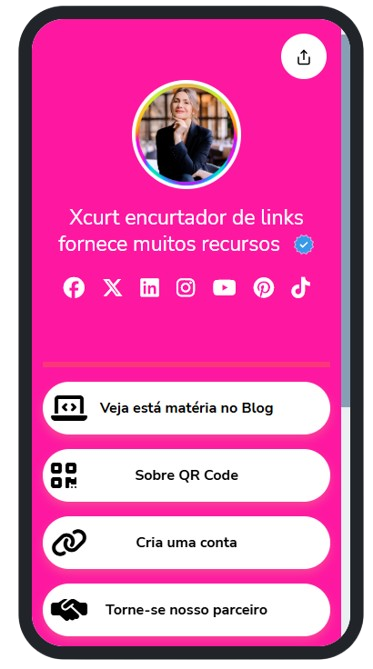
Xcurt’s Link in Bio is a fully customizable page where you can bring together all your most important links in one single place. It helps you direct your audience to:
Your product catalog or online store
Affiliate products you promote
Your social media profiles
WhatsApp or Telegram groups
Lead capture pages
Videos, blogs, or YouTube channels
Exclusive deals and flash offers
All of this with a modern, responsive layout — designed to boost clicks, engagement, and conversions effortlessly.
Why create a sales page with Link in Bio?
On social networks like Instagram, TikTok, and even WhatsApp Business, you only get space for one clickable link. That’s where Xcurt steps in with a smart solution: a simplified, professional-looking sales page that gathers all your important links in one place.
Benefits of using Xcurt’s Link in Bio:
✅ Fully customizable to match your brand and style
✅ Real-time analytics and performance tracking
✅ Shortened and trackable links
✅ Clear call-to-action buttons (e.g. “Buy Now”, “Access Content”, “Chat on WhatsApp”)
✅ Easy integration with your products and services
✅ Perfect for promotional campaigns and launches
How to create your sales page with Xcurt?
The process is quick and easy:
Create your free account at xcurt.com
Go to the “Link in Bio” section
Choose a template or start from scratch
Customize with your branding (photo, name, description, colors, icons)
Add your main links with strong CTAs
Share your link in the bio of your social media profiles
✨ Done! Anyone who clicks your link will see a sleek, modern, and highly functional sales page.
Use Xcurt to sell every day
Whether you're an affiliate, digital creator, or sell physical products or online services, this is your chance to boost conversions without relying on complicated platforms. Xcurt gives you the freedom, control, and smart tools to build a powerful digital presence.
You can even track all your links and use intelligent redirects to understand exactly where your traffic is coming from — and which links bring the best results.
🟡 Stop wasting valuable clicks!
You only have a few seconds to win over your visitor — and the Link in Bio that Xcurt provides does it for you. Instead of scattering random links everywhere, how about bringing everything together in a single, professional, personalized space that's ready to convert? Whether you're selling, capturing leads, or promoting your portfolio, this is the tool your digital strategy was missing.
Extra Tip 💡
If you want to supercharge your sales page even further, take advantage of Xcurt's advanced plans, which unlock exclusive features such as:
Ad removal
Advanced link customization
Custom domain
Smart redirection funnels
Detailed analytics
Use the coupon ONE30 to get 30% off any paid plan (Premium, Business, or Primeclass)!
Boost Your Marketing Game with Xcurt
 Shorten and customize your links with a modern look.
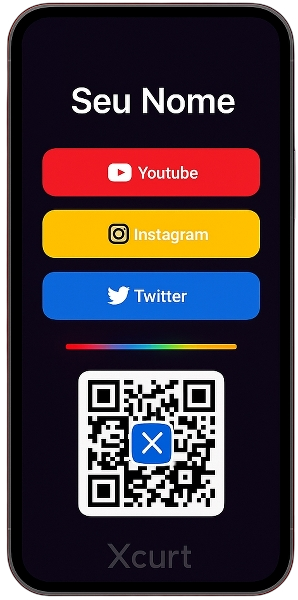
 Organize all your links on a single Link in Bio page.
 Create dynamic QR Codes with color customization, redirection, and centered logos.
 Promote products, campaigns, or social networks with a single stylish link.
1. How to Turn Clicks into Sales Using Smart Links
Have you ever stopped to think about the real value of a click? In the digital world, a well-targeted click can be the start of a sale, a connection, or a new opportunity. That’s why Xcurt offers smart links — tools designed to go beyond a simple link shortener.
What are smart links?
They are personalized, trackable links that can include campaign parameters, strategic redirects, and calls to action. With them, you can understand who clicked, where they came from, at what time, and on what device — allowing you to make precise adjustments to your strategy.
How to convert clicks using Xcurt:
Create links with clear CTAs like “Buy now”, “Access for free”, or “Watch the video”.
Use UTM parameters to track which channels generate the most sales.
Take advantage of geo or time-based redirections.
Analyze your stats and optimize your ads and campaigns.
👉 Pro tip: Don’t waste clicks. With the right tools, you can turn traffic into real results by using Xcurt as your strategic ally.
2. 5 Ways to Use Link in Bio to Attract More Clients
On social media, you only have one link to make an impact. With Xcurt’s Link in Bio, you can turn that limitation into a powerful sales and attraction tool. Here are 5 practical ways to use it:
1. Offer something for free
Add a button for downloading an e-book, joining a VIP group, or getting a discount coupon. It’s a great way to generate leads.
2. Highlight your main products or services
Add buttons with your top offers, including short and persuasive descriptions.
3. Integrate with WhatsApp, Telegram, or Direct
Make contact easy. Use direct buttons with pre-written messages to close deals faster.
4. Add testimonials and social proof
Links to videos, customer posts, or reviews build trust and authority.
5. Promote events, lives, or launches
Drive traffic to strategic moments and make the most of your audience’s attention.
👉 Bonus tip: Keep your Link in Bio updated! Use the Xcurt dashboard to adjust your content according to your current campaigns.
3. How to Create a Lead Capture Page with Your Xcurt Link
Want to grow your lead base and attract more contacts? With Xcurt, you can turn your Link in Bio page into a simple and effective lead capture page — without paying for expensive landing page tools.
Step-by-step to create a lead capture page with Xcurt:
Create your Link in Bio at xcurt.com
Customize the design to match your branding >> Check out this Bio Page
Add a catchy headline: “Get an exclusive gift!”
Create a CTA button linking to your form (Google Forms, Typeform, Mailchimp, etc.)
Optional: add social proof, extra bonuses, or urgency ("Limited spots!")
Advantages:
Mobile-friendly responsive page
Short, easy-to-share link
Perfect for sharing in ads, videos, and social media
👉 Tip: Use a simple form asking for name, email, and WhatsApp. Then redirect the user to a thank-you page with your content or bonus.
4. Why Every Affiliate Needs a Professional Link Structure
If you’re an affiliate and still sharing random, messy links full of codes and no tracking, you’re losing both money and credibility. A professional link structure is what separates amateurs from affiliates who live off commissions.
What does a professional affiliate do?
✅ Shortens and customizes all links with clear names
✅ Uses redirections to updated pages
✅ Centralizes all links in one page (Link in Bio)
✅ Tracks stats for every click
✅ Adds CTAs and direct contact links
With Xcurt, you can do all of this easily — and even save time with automation.
👉 Result: Your followers trust more, click more, and buy more. You gain full control over what’s working and what needs improvement.
5. How to Share Your Product Catalog with a Single Link
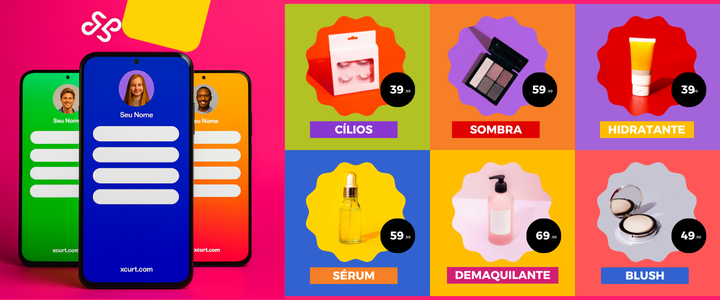
If you sell products on WhatsApp, Instagram, or TikTok, you know how hard it can be to organize all your item links. With Xcurt, you can create a complete and accessible catalog with just one link.
Step-by-step:
Log in to your Xcurt dashboard and go to “Link in Bio”
Create separate buttons for each product
Add titles, images (optional), and purchase links (e.g., Mercado Pago, WhatsApp, or your store)
Organize your products by categories (promotions, new arrivals, bestsellers)
Publish and share your link across all your social platforms
Extra Tip:
Keep your catalog updated. Out-of-stock items? Replace the links. New promo? Highlight it at the top.
👉 Advantage: Instead of sending 5, 10, or 15 separate links, you share just one — with all available products. Much easier for you and your customer!
Efficient Marketing
If you’re still trying to sell with just one basic link and no structure, you’re missing out on sales! Xcurt’s Link in Bio is a modern, practical solution, fully adapted to what the digital market demands today.
Centralize. Organize. Convert. All with Xcurt.